
The success of a digital product depends not only on the quality of its code but directly on how users perceive and interact with it. This is where UI (User Interface) and UX (User Experience) design play a critical role. In this article, we will explore in detail what UI design is, its types, the design process, and how it differs from UX design.
The 3 Main Types of UI Design
A User Interface (UI) is the point of interaction between a human and a machine (computer, smartphone, etc.). Following technological advancements, UI has evolved into these primary forms:
- Graphical User Interfaces (GUI): This is the form we are most familiar with. It allows users to interact with operating systems through visual elements like icons, windows, and buttons. Smartphone apps, clickable buttons, fillable forms, and the right-click menu are all parts of a GUI.
- Voice-controlled User Interfaces (VUI): These allow users to interact with smart devices using their voice. Apple’s Siri and Amazon’s Alexa are prime examples of VUI.
- Virtual Reality (VR) & Gesture-based Interfaces: These enable users to interact within a 3D space using body movements and gestures. A common example is VR gaming.
Key Components of UI Design
Good UI design integrates the following core elements to make a product easy to navigate, organized, and visually appealing:
- Input Controls: Elements that require user action, such as buttons, text fields, checkboxes, and toggles (e.g., Sign Up, Submit).
- Navigational Components: Parts that help users move through the site, such as menus, search bars, sliders, and hamburger menus.
- Informational Components: Areas that display necessary information, such as message boxes, notifications, and progress bars.
- Containers: Used to group content into meaningful sections. Containers hold various elements and organize content neatly depending on the user’s screen size.
What Does UI Design Include?
UI design is not just about “looking good.” It encompasses:
- Visual Design: Deciding the product’s look and feel using colors, imagery, typography, icons, logos, and spacing.
- Interaction Design: Defining how the system responds when a user clicks a button or scrolls, including animations and transitions.
- Information Architecture: Deciding how content is structured, ordered, and categorized to create a hierarchy that prevents users from getting lost.
Overview of the UI Design Process
Creating a successful UI involves specific stages:
- Understanding Context: The UI designer starts by reviewing the project brief. It is crucial to understand who will use the product, what it will be used for, and who the target audience is.
- Competitor Analysis: Studying what other brands in the same industry are doing. This helps understand the interfaces users are already accustomed to, allowing the creation of familiar and easy-to-use designs.
- Designing Screens & UI Elements: In this stage, designers draw detailed screens and elements that make up the user journey. This includes selecting images, color schemes, and button shapes.
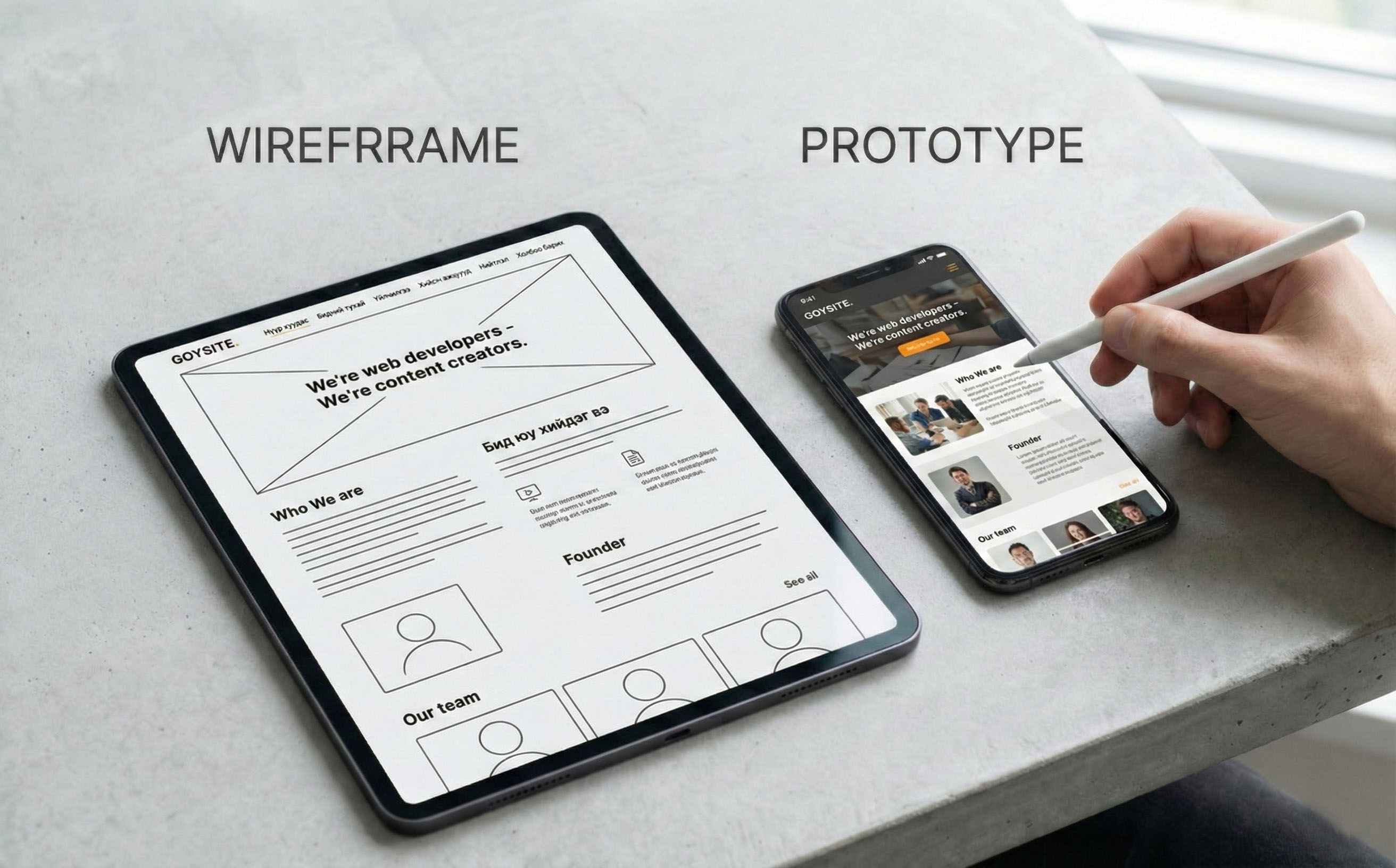
- Wireframing & Prototyping:
- Wireframe: A low-fidelity blueprint used in the early stages to define the layout of elements.
- Prototype: A high-fidelity, clickable model created once the concept is clear. It looks like the final product and demonstrates how the system will actually work.
5. Handoff to Development: Once the design is finalized, the designer hands the prototype over to the developers, who turn it into real, functioning code. This stage requires close collaboration between designers and developers.
Key Considerations for Excellent UI Design
- Simplicity: Ensure users don’t struggle with your design but can achieve their goals easily with minimal effort.
- Brand Value & Emotion: The UI should reflect the brand’s tone and build user trust. Good design evokes positive emotions and a pleasant feeling.
- Seamless Flow: The UI should feel smooth to use, creating a sense of flow where users transition between actions effortlessly.
- Predictability: Anticipate user needs and create experiences that delight them.
- Creativity: When appropriate, try breaking standard rules slightly to make the design more fun and engaging.
The Difference Between UI and UX: Simply Explained
UI and UX are closely related but serve different functions. Let’s explain this using a hotel construction analogy:
- UX Designer (The Architect): Plans the hotel’s overall structure and foundation. They answer fundamental questions like “Why are we building this?”, “Who is it for?”, and “How will guests move between rooms?” They consider the guest’s comfort as a whole.
- UI Designer (The Interior Designer): Responsible for the visual appearance of the built structure. They choose lighting, furniture, wall colors, and materials to create a specific atmosphere and feeling for the guests.
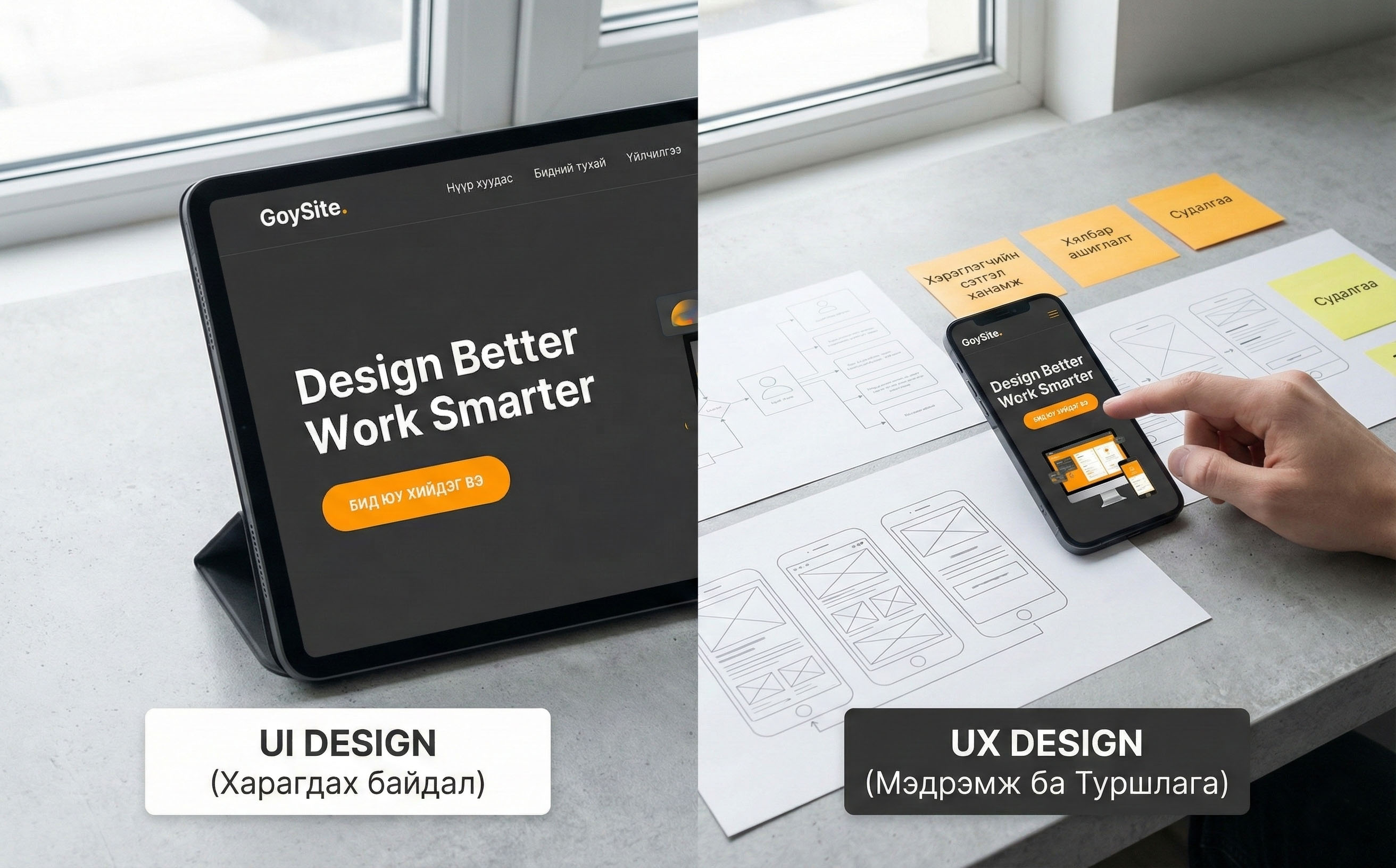
Key Distinction:
- UX (User Experience) Design: Covers the user’s entire experience from A to Z (research, problem-solving, usability). UX applies to all experiences, not just digital ones (e.g., banking services, shopping).
- UI (User Interface) Design: A part of UX that focuses strictly on the look and feel and interactive elements of digital products (buttons, colors, layout).
Conclusion
While UX and UI require different skills and tools, they share the same goal: To create an easy-to-use, efficient, enjoyable, and amazing experience for users. A beautiful UI without good UX is just empty decoration, while good UX without good UI will struggle to connect with users.

Super helpful article! I learned a lot about why we need both UI and UX to make a product successful. Keep up the great work! 🔥